 Resale Record
Messages and offers
Read and answer eBay buyer messages, handle offers with Accept, Counter or Decline, and send offers to buyers watching your listings, all in one inbox.
The eBay Inbox brings buyer messages and offers into one place. Open it from the Sales tab. You need to have connected eBay first.
Messages#
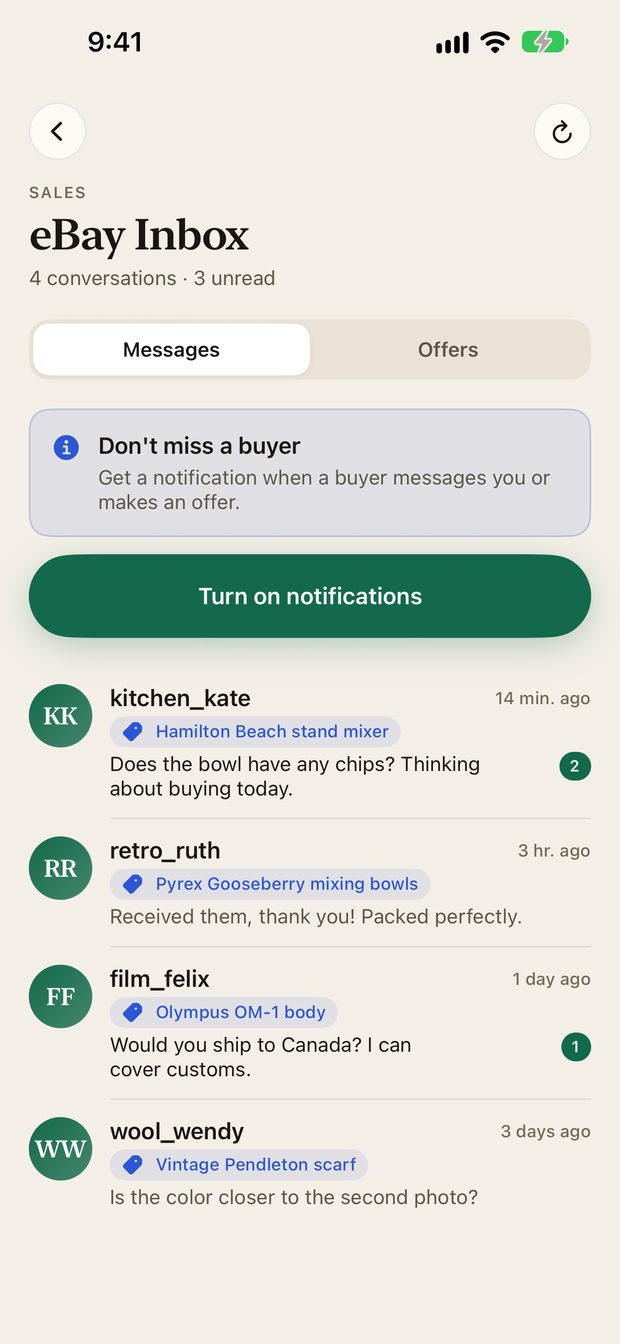
Each conversation shows the buyer, the item it is about, the latest message and an unread count. Tap one to open it.
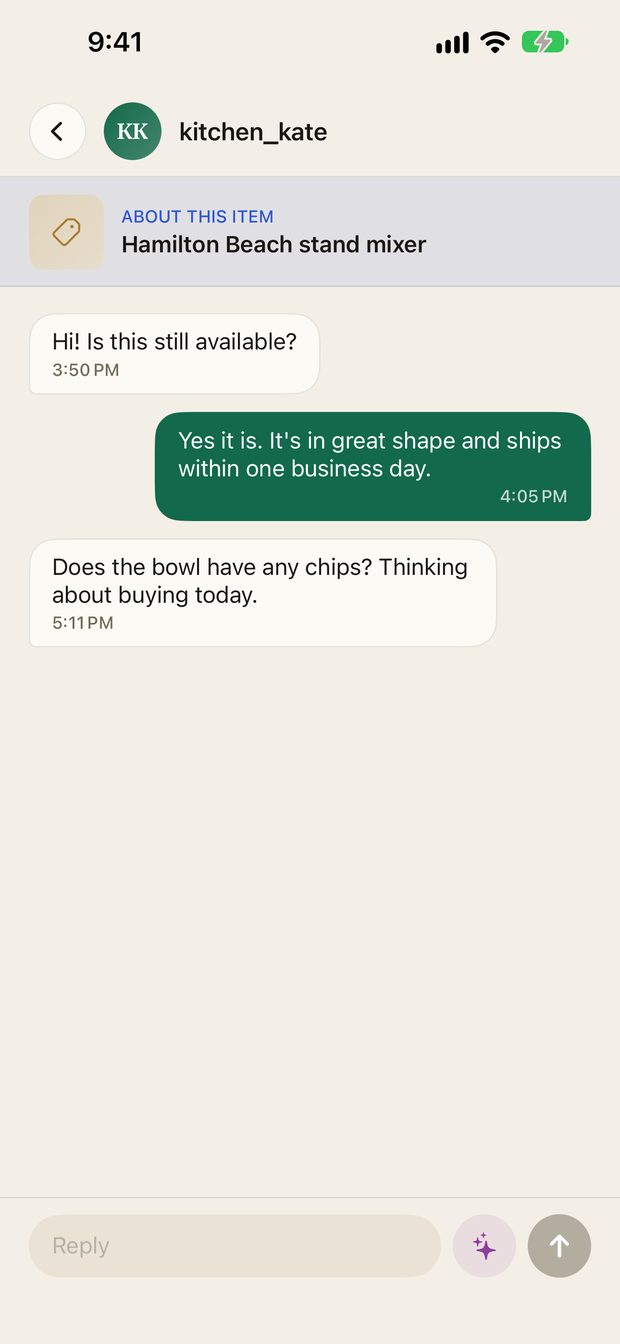
- The item the conversation is about appears at the top, with its photo and price when eBay provides them.
- Type your reply at the bottom and send it.
- The sparkle button next to the reply box drafts a reply with AI. This is optional and asks your permission first. You always review a draft. Nothing is sent automatically. See Subscription and account.
- Tap the refresh button in the corner, or pull down, to sync with eBay. A large inbox can take a minute the first time.
Offers#
The Offers tab lists Best Offers buyers have made on your listings. For each one you can:
- Accept the offer.
- Counter with a different price.
- Decline it.
Send offers to interested buyers#
You can also reach out first. On the Offers tab, choose Send offer to see your listings that have interested buyers, with how many are watching each one.
- Pick a listing.
- Choose a percent off. A preview shows the price buyers will see and how that compares with what you paid.
- Review the offer, then send it.
You can select several listings and send offers on all of them. A progress view shows how many are done, lets you Stop after this one, and offers Retry for any that failed.
Feedback#
The Feedback shortcut on the Sales tab shows what buyers have said about you.
Something missing or out of date? Email [email protected] and tell us what you expected to see.